
Turn your iMessage history into a PDF worth keeping.
Message to PDF runs on your Mac and nowhere else. No uploads, no subscription. $29 once.
It looks like it belongs on your Mac.
A native macOS app that follows your system's light or dark appearance automatically. No browser tab pretending to be a desktop app.
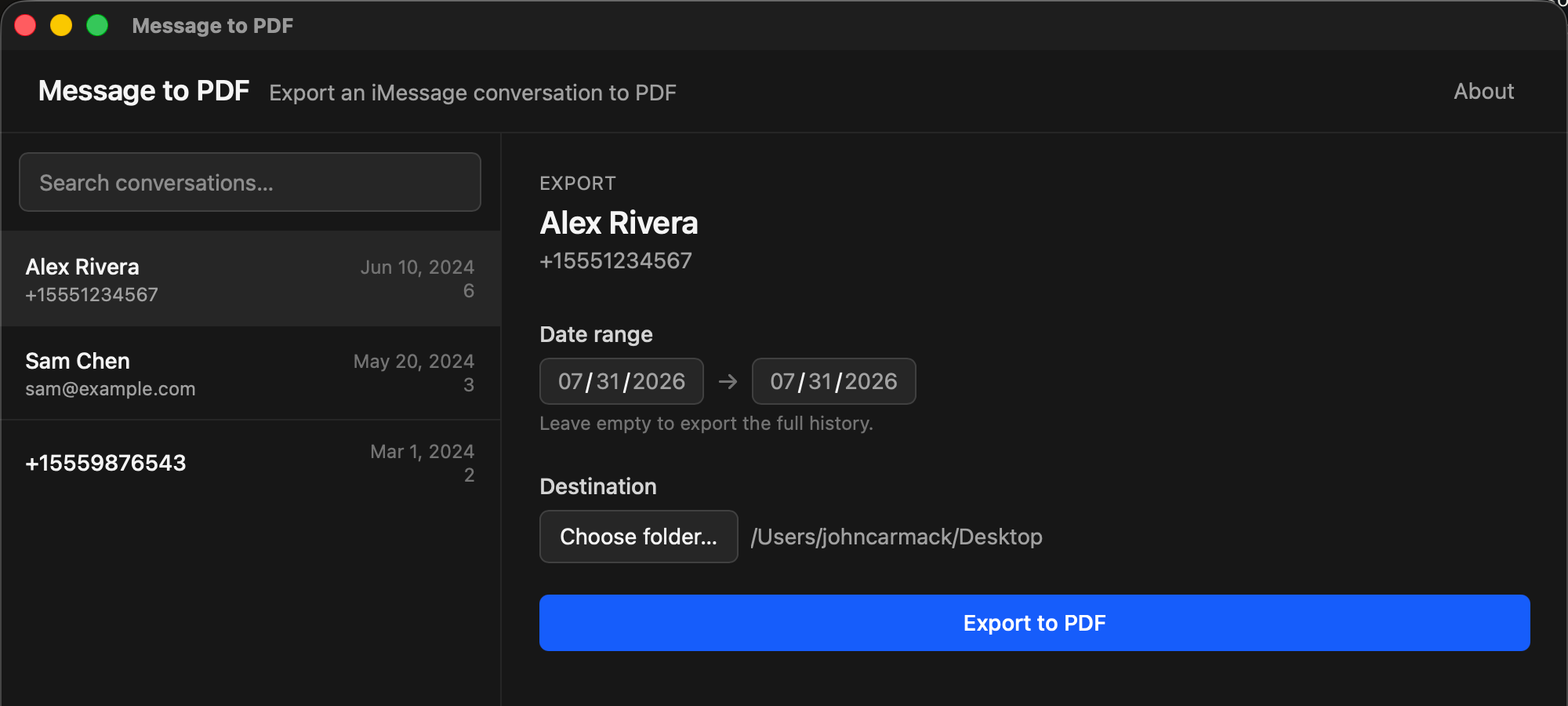
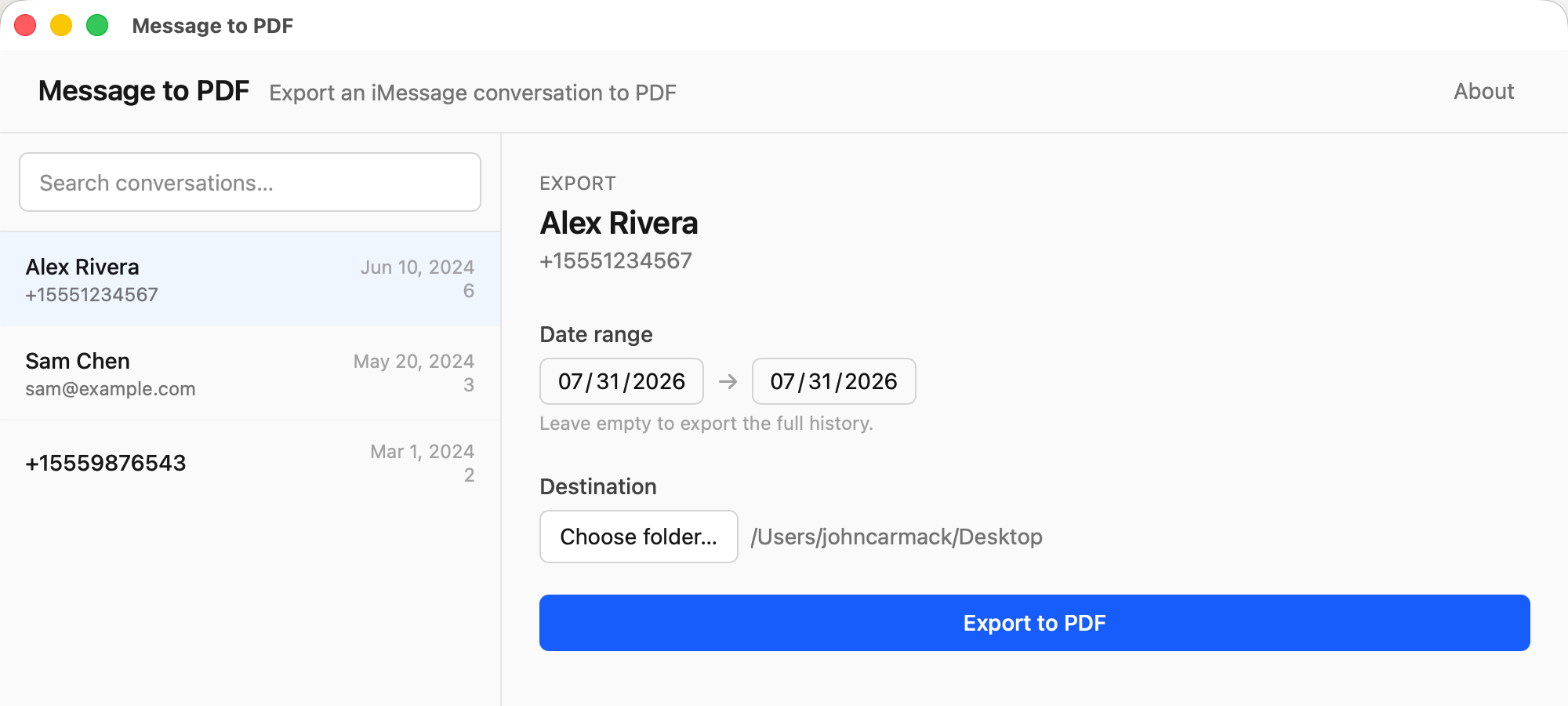
The same window, in whichever appearance your Mac is already set to. Nothing to toggle.
The conversation, not a data dump.
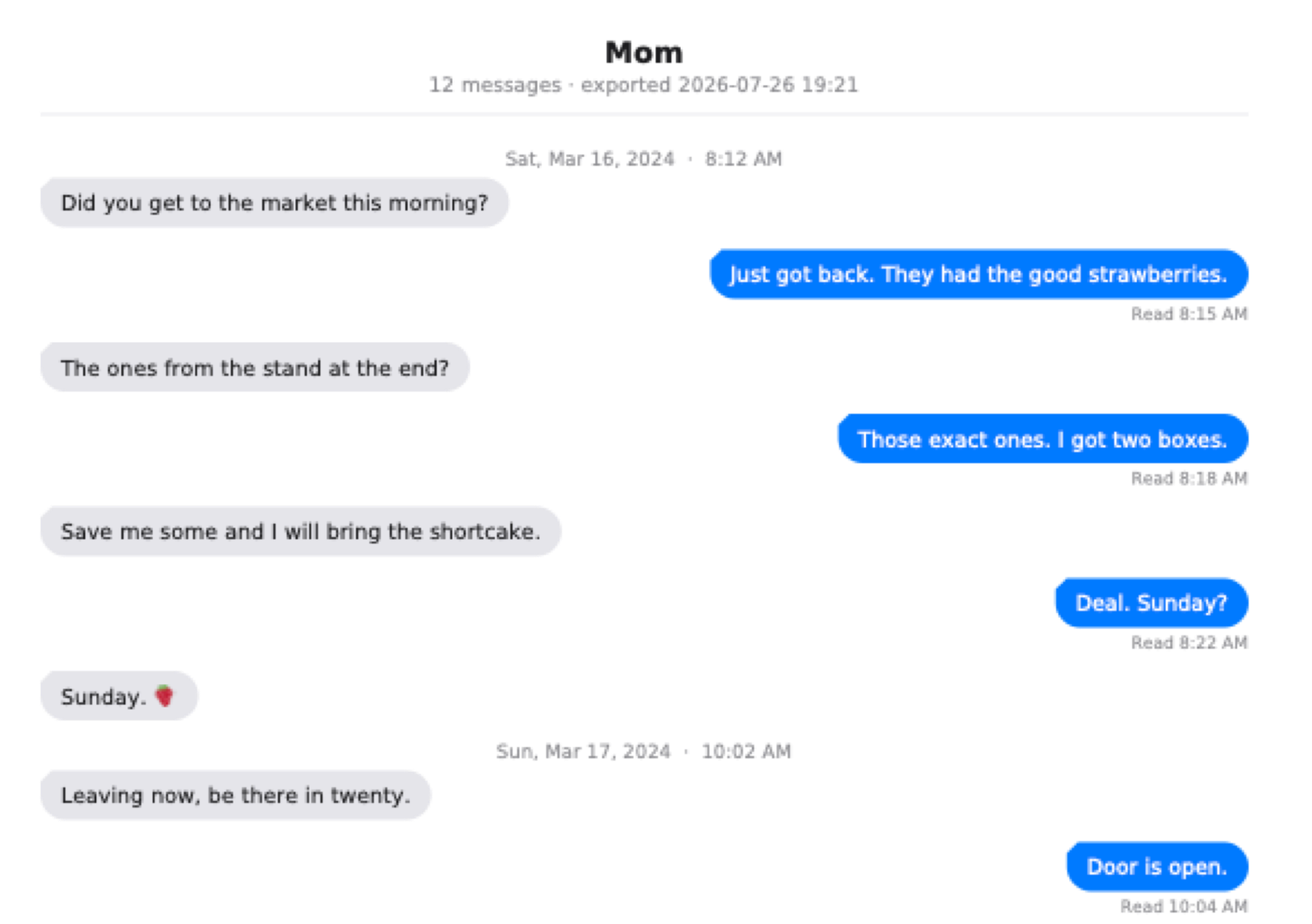
The PDF is laid out the way the thread reads on your phone, so it is something a person can sit down with.
Every message, in order
Sent and received bubbles, in the blue and green you already know.
Photos inline
Image attachments land in the page where they were sent, not in a folder.
Timestamps and read receipts
Date separators between sessions, delivery and read times where Messages had them.
Tapbacks
Reactions stay attached to the message they were a reaction to.
Any date range
Export a whole history, or just the summer you care about.
An ordinary PDF
US Letter, searchable text, opens anywhere. Print it, mail it, archive it.
Your messages are read on your Mac, written to a file on your Mac, and go nowhere else. There is no account, no sync, no server. The app makes no network calls of its own.
You do not have to believe that. It is free software, so the code is public and you can read exactly what it does, or build it yourself. Read the source.
Three steps, about a minute.
Grant Full Disk Access
macOS keeps your Messages database private, even from you. The app walks you through the one switch in System Settings that lets it read the database on your own machine.
Pick a conversation
Choose any one-on-one thread by name or number, and set a date range if you only want part of it.
Export
Pick a destination folder and the PDF is written there. Long threads page-break cleanly, so nothing lands half off the edge.
What people need it for.
Almost everyone arrives with one of these in mind. Each one has its own page, including the parts the app cannot help with.
Text messages for a lawyer or a court
One paginated PDF instead of a folder of screenshots, with the dates, the timestamps, and both sides of the thread still in order.
Messages from someone you have lost
A thread you can keep as a file, print, and hand to family, instead of one that lives inside an app on a phone.
Printing iMessages to PDF
Messages has no export command. Here is what the alternatives cost you, and what a real export puts in the file.
It is free software. So why $29?
Message to PDF is licensed under GPL-3.0-or-later. You can read every line, change it, or compile it yourself for nothing, and that will always be true.
The $29 buys the finished thing: a universal build, signed and notarized by Apple so it opens with a double click instead of a Gatekeeper warning, kept working across macOS releases, made by someone you can email. It is the same reason people buy software they could technically compile themselves.
Or build it yourself:
git clone https://github.com/NewEarthTech/message-to-pdf
cd message-to-pdf
cargo build --release -p msg2pdf
That gives you the command line exporter. The app is the same engine with a window around it.
$29, once.
One payment, no subscription, no account to make. If it is not for you, email us within 14 days and we will refund it.
Get it for $29Sold through Paddle, our Merchant of Record. Prices shown in your local currency at checkout.
Before you buy
Why does Message to PDF need Full Disk Access?
macOS treats your Messages database as private, even from you. Full Disk Access is the switch Apple provides to grant that permission. The app uses it only to read your messages on your Mac so it can build the PDF. It does not upload anything, and you can revoke the access any time in System Settings.
Is it actually private?
Yes. The app runs entirely on your Mac. It has no account, no analytics, no telemetry, and makes no network calls of its own, so your conversations never leave your computer. The only data that goes anywhere is what you type into checkout, which is handled by our reseller, Paddle. And because the app is open source, you do not have to take our word for any of this. The code is public.
Does it do group chats?
Not yet. It currently exports one-on-one conversations, iMessage and SMS both. Group chats are on the list.
Which Macs are supported?
It is a universal app: it runs natively on both Apple Silicon and Intel Macs, on macOS 10.15 (Catalina) and later. It is signed and notarized by Apple, so it opens with a double click.
More at the full FAQ, or email sales@newearth.llc.